Catch the feeling.
Use your phone mic or a compatible USB interface. Set a count-in, choose what plays in your headphones, and add the next take.
A voice memo is a start.
Mxsie helps you make it a song.
A multitrack recording app for Android. Record your voice and real instruments. Layer a few takes. Let automatic mixing and mastering give you a starting point—then make it yours.
Android 11+ · Early preview · No account needed
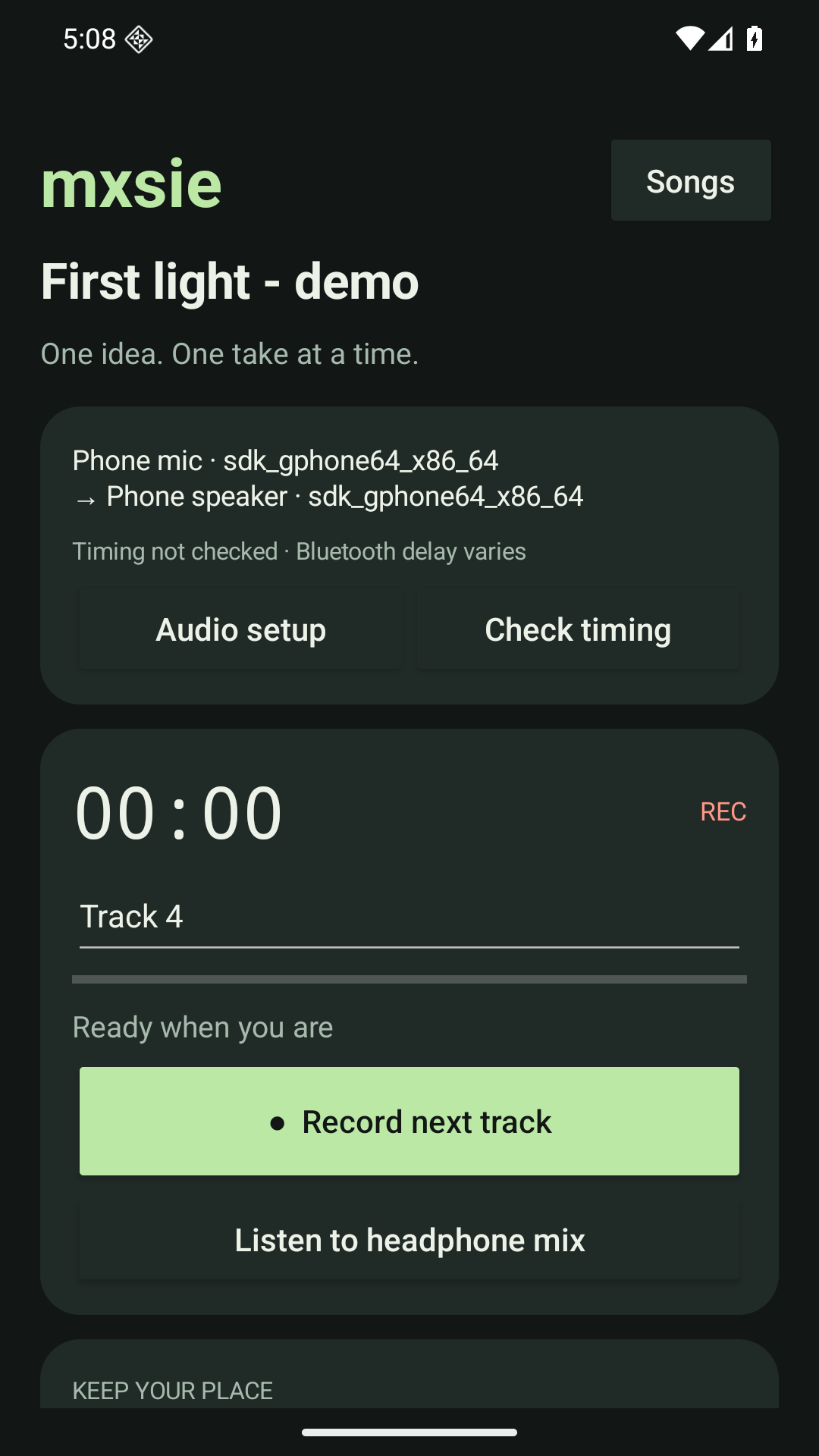
Use your phone mic or a compatible USB interface. Set a count-in, choose what plays in your headphones, and add the next take.
Balance your tracks and shape the sound with an automatic mix and master. Keep the originals, adjust the result, and keep exploring.
Save a finished WAV from your phone. Play it back, share it with a friend, or come back tomorrow with another idea.
Local recording comes first. The next step is bringing your bandmates into the project—around the room over Wi-Fi, or from anywhere with Mxsie Cloud.
See what works todayKeep the basics close. Add more sounds when you want them.
Bring your band online when you need it.
For the song you want to get down.
Download the trial ↓A bigger palette. Still your song.
See upgrade status ↗For the band that’s everywhere.
See Cloud status ↗Prices in USD. The trial is an early preview. Paid plans are being prepared and cannot be purchased yet.
Mxsie is early. Here is exactly what you can download and what we are building next.
Preview detailsNo. The Android preview discovers your built-in microphone and the audio inputs Android makes available. Compatible USB interfaces are an option. Device power, channel support, and routing vary; specific Scarlett, PreSonus, and other combinations still need hardware testing.
You can choose an available headphone output for backing tracks. Bluetooth introduces variable delay, so perfectly immediate monitoring is not promised. Mxsie includes timing checks and manual offset compensation; wired or interface headphones are the more predictable route.
Your original takes are preserved. Mixing and mastering produce new results, so you can adjust the balance or return to your source recordings. Automatic processing is a starting point for your ears.
The current Android app keeps your projects on your device and has no network permission. Cloud upload will be an explicit choice in the future paid Cloud plan. The website does not access your microphone.
The planned one-time Full upgrade adds software instruments and extra effect controls. The instrument engine already includes 261 melodic presets and 13 drum kits. Checkout stays closed until the upgrade can be delivered and verified.
A desktop developer companion can host encrypted local project sync, transfer takes, and protect against conflicting edits. The Android pairing interface and synchronized multi-device recording are not ready yet. Cloud sharing is also still in development.
Start with a phone mic, set up a USB interface, or learn what an automatic mix changes.